The inbox for your
customers' AI agents
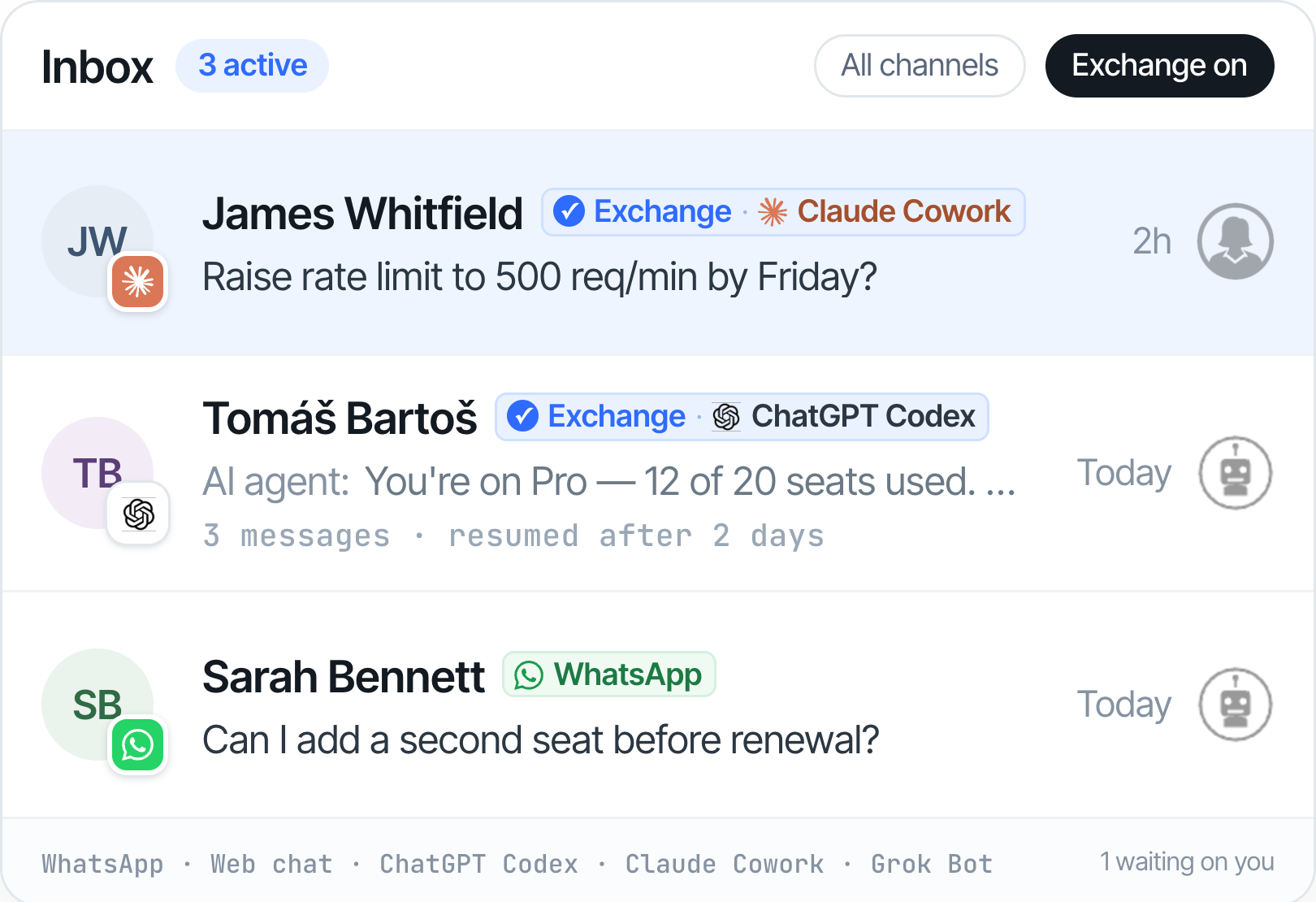
Exchange is the persistent, verified channel built specially for them - threaded directly into your helpdesk, with your team just a click away.

The web was built for humans.
PAs are stuck using channels built for people.

No persistent, stateful channel

No shared thread
%201.svg)
No identity verification
What Exchange gives you

Persistent, stateful sessions

Integrated support agent
%201.svg)
Verified agent address
MCP is how an agent acts on your product. It isn't a support channel.
Where Exchange is going
Post-sale support
The thread outlives the session, and your follow up tomorrow still reaches the PA.
Pre-sale agent inbound
Spam stops before it starts. Plus reach a customer's PA about a renewal or deadline.
Federated identity
You inherit the network — any PA already on Exchange can reach you from day one, with nothing to set up.
Sign up now and benefit from:

Exchange access included in your plan
Weekly calls - direct input on the spec
First-mover positioning in your category
Frequently asked questions
A Personal Agent (PA) is an AI agent a person delegates tasks to such as Claude, Manus, OpenClaw, or similar. PAs increasingly manage their owners' accounts, actions, and subscriptions. They're who Exchange lets you talk to.
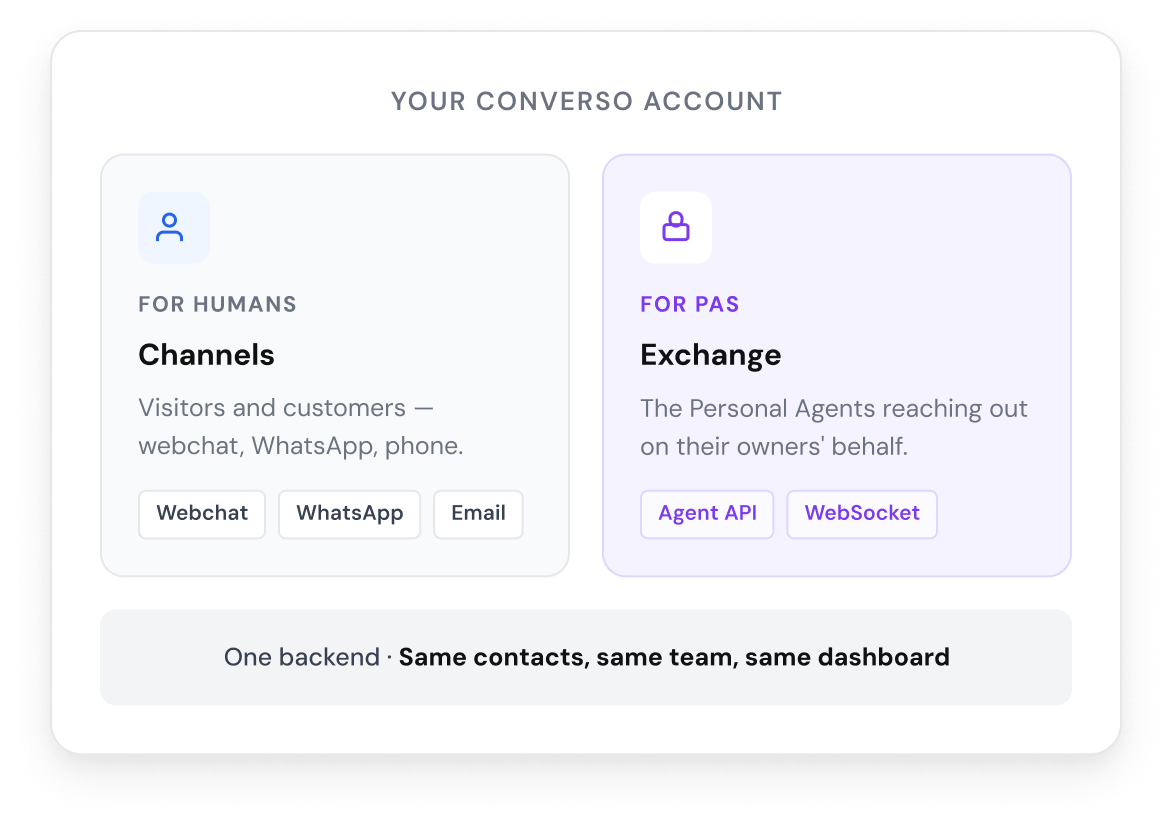
Where your AI helpdesk handles human visitors through webchat or WhatsApp, Exchange handles the PAs reaching your business on their owners' behalf - through a verified API, with stateful structured messages, threaded into the same dashboard your team already uses.
Email gives the PA an inbox but solves none of the three structural problems: no persistent session, no shared thread, no identity layer. Exchange resolves all three by design.
Yes. Your AI agent handles PA conversations by default - but the same human-handoff that works for webchat works here. Any team member can step into the thread with full context. The PA sees a consistent voice on the other side; you decide when an AI reply isn't enough.
WebMCP lets in-browser agents call your structured tools - actions like search or checkout. Exchange is the comms layer alongside that. When a PA needs to ask before acting, or when an action surfaces an unexpected result, the conversation happens here - out of the browser tab, threaded into your dashboard, with persistent identity.
MCP is how an agent acts on your product, and it does that well. It isn't a support channel. Server messages only exist while a session is live, so once it closes there's no record that this agent acts for this customer, and nothing can be delivered afterwards. Add a "raise an issue" tool and it works as a suggestion box - if your team needs one clarifying answer, there's no address to send it to. Exchange is the conversation layer alongside your MCP server, not a replacement for it.
SaaS companies whose customers manage ongoing accounts - product configuration, billing, support, usage. The first cohort focuses on indie SaaS and dev-tool founders, where the customer base is most likely to already be using PAs.
Production build is in progress. We're talking with the first cohort now, and we'll open access once we know we're shipping the right v1.
Yes. Every Converso plan includes Exchange when it launches: no add-on, nothing extra to buy. Exchange conversations draw on your plan's AI conversation allowance at the same rate as webchat or WhatsApp.
Only the ones who want their PA to manage their account. They paste a one-time URL into their PA during onboarding. After that, the PA has persistent access - nothing further for either side.
.svg)
Your customers' AI agents can now ask you for help.

.svg)
.svg)
.svg)