
10 Best Practices for Managing AI-Human Support Teams

Here's how to effectively manage AI-human customer support teams:
- Set clear roles for AI and human agents
- Create basic training for both AI tools and staff
- Establish team communication rules
- Track key performance metrics
- Keep service personal despite AI automation
- Integrate AI and human systems seamlessly
- Protect customer data rigorously
- Build unity between AI and human team members
- Gather and implement team feedback
- Plan for scalable growth
AI isn't replacing humans - it's empowering them to provide better service. The key is finding the right balance between AI efficiency and human empathy.
AI StrengthsHuman Strengths24/7 availabilityEmotional intelligenceHandling routine tasksComplex problem-solvingFast information retrievalBig picture thinkingConsistent responsesPersonal touch
By following these practices, companies can create powerful AI-human support teams that boost efficiency, cut costs, and improve customer satisfaction.
Related video from YouTube
1. Set Clear Team Roles
In today's customer support world, AI and humans work side by side. But for this to work, everyone needs to know their job. Let's break down how to make this happen:
AI: The Routine Task Master
AI is great at handling the everyday stuff, fast and consistently. Give your AI agents these jobs:
- Answering common questions
- Checking account basics
- Updating order status
- Simple tech help
Take Converso's AI helpdesk. It handles first-line support 24/7 across channels like webchat and WhatsApp. This frees up human agents for the tricky stuff.
Humans: The Problem-Solving Pros
Human agents shine when things get complicated or emotional. Their tasks should include:
- Solving escalated issues
- Creating custom solutions
- Handling sensitive account stuff
- Calming frustrated customers
SEB, a big Swedish bank, does this well. Their virtual assistant Aida tackles basic requests, letting human reps focus on complex issues needing a personal touch.
Teamwork Makes the Dream Work
To get the best of both worlds, set up a smooth workflow:
AI DoesHumans DoGreet customersSolve complex issuesGather basic infoProvide emotional supportHandle routine queriesPersonalize problem-solvingAnalyze dataMake exception decisionsWork 24/7Handle high-touch interactions
This setup creates a powerful AI-human combo, boosting efficiency and making customers happier.
Smooth Handovers Are Key
Make sure you have clear rules for when AI should pass conversations to humans. This keeps things running smoothly and stops customers from getting frustrated or repeating themselves.
Converso's platform does this well. It seamlessly connects AI and human agents, using a shared inbox to manage customer chats across different channels.
Michael Bradford from HappyOrNot sums it up nicely:
"AI is not about phasing out human agents but empowering them."
2. Create Basic Training Steps
To manage AI-human support teams well, you need solid training for both AI tools and human staff. Here's how to set up basic training:
1. Check Current Skills
Look at what your team can do now. Find out where they need help with AI tools. This helps you make training that fits.
2. Make Targeted Training
Build training that covers both AI and human skills:
AI SkillsHuman SkillsUsing AI toolsTalking to people, showing empathyReading AI resultsSolving tricky problemsMaking AI answers betterUnderstanding emotionsSwitching between AI and humansBeing flexible
3. Do Live Training
Start with easy AI stuff, then move to harder things. Geoff Maxwell from Microsoft says:
"Let agents make three decisions a day without asking. It makes them feel good and helps customers, without much risk."
This helps agents feel good about using AI while still being personal.
4. Mix Up Learning Methods
Use different ways to teach:
- Do hands-on training in person
- Let people learn online at their own speed
- Have live online classes with quizzes and questions
5. Use Real-Life Examples
Practice with real situations. It helps people use what they've learned.
6. Use Your Best People
Get your top agents to help train new ones. It shares good habits and helps people make friends.
7. Get Feedback
Make a way to keep getting better:
- Look at AI-helped chats each week
- Check skills each month
- Change training every three months based on how people do
8. Learn AI Helper Tools
Show the team tools like Threado AI Agent Assist. Teach them about:
- AI-made answers
- Summing up tickets
- AI suggestions for replies
9. Keep Learning
Make learning a big deal:
- Give access to online classes
- Share news about AI
- Talk about how AI changes support jobs
10. See If Training Works
Check if your training is helping:
- See if responses are faster and better
- Look at customer happiness scores
- Ask employees what they think about the training
3. Set Team Communication Rules
Clear communication is key for AI-human support teams. Here's how to set up effective rules:
Create a Unified Platform
Use a central system where AI and human agents can share info. Converso's platform is a good example. It has a team inbox that connects AI and human agents across channels like webchat, WhatsApp, and SMS.
Define Handoff Triggers
Set clear rules for when AI should pass a conversation to a human. This can include:
- Keywords like "Speak to human" or "Complex issue"
- Detected frustration or anger
- Specific problems like account issues or technical troubles
Smooth Transitions
When handing off from AI to humans:
- Tell the customer about the switch and wait time
- Give the human agent's name
- Share all relevant chat history
Standardize Info Sharing
Use a consistent format for sharing customer info between AI and humans. Include:
- Customer details
- Chat history
- Reason for handoff
- Actions the AI has taken
Real-Time Availability Updates
Show which agents are free in real-time. This helps manage customer expectations and cuts wait times.
Create an AI Playbook
Make a guide for your team that covers:
- Updates on AI tools
- How to use AI
- Ways to give feedback
- Ongoing AI training
Stefano Lodola, Founder of Think Languages, says:
"An internal communications strategy is essential. It should include regular updates on the AI tools used and upcoming changes."
Set Up Feedback Loops
Create a system to keep improving:
- Review AI-human interactions
- Have agents report on AI performance
- Collect customer feedback after handoffs
Connect with Existing Tools
Link your AI assistant to your current business tools, like CRM systems. This helps keep context throughout the customer journey.
Train on Communication Skills
Keep training your human agents on:
- Talking to customers after AI handoffs
- Solving complex problems
- Product knowledge for tough issues
Keep an Open Dialogue About AI
Be transparent about AI use within your team. Address any worries quickly. As Dafna advises:
"Just set some ground rules first, establish a forward-thinking corporate policy on responsible AI usage – and communicate it clearly."
4. Track Team Results
Measuring how AI and humans handle customer issues is key to managing AI-human support teams. By tracking the right metrics, you can spot where to improve and fine-tune your customer service.
Here are the must-track metrics:
MetricWhat It MeansWhy It's ImportantAutomated Resolution Rate (ARR)% of issues AI solves aloneShows AI's effectiveness and savingsFirst Contact Resolution (FCR)% of issues solved on first tryIndicates customer happiness and team skillCustomer Satisfaction Score (CSAT)How happy customers are with supportReflects overall service qualityAverage Handling Time (AHT)Time to solve issues (AI + human)Helps boost efficiencyCustomer Effort Score (CES)How easy it is for customers to get helpPredicts if customers will come back
To get a clear picture of your team's performance:
1. Create separate reports for AI and humans
Compare how fast and efficient each is at handling issues.
2. Keep an eye on the automated resolution rate
A high ARR means your AI is doing its job well, saving money and time.
3. Check CSAT scores for both AI and human interactions
See where each shines or needs work.
4. Look at FCR rates
Aim for about 70% in your call center. Higher rates usually mean happier, loyal customers.
5. Use AI dashboards for real-time insights
Tools like Intercom can show you how you're doing compared to your goals.
The customer service world is changing fast with AI. As Intercom's blog says:
"Leaders looking to take advantage of the immense opportunity AI presents will need to think differently about metrics and KPIs."
To keep up:
- Regularly update your KPIs to match your business goals and what customers want.
- Ask customers for feedback after they get help.
- Use AI to analyze how customers feel about their interactions, so you can spot trends early.
5. Keep Customer Service Personal
In today's AI-driven world, personal touch in customer service is key. While AI handles routine stuff, humans shine in complex situations. Here's how to mix AI smarts with human warmth:
Blend AI and Human Support
Let AI tackle the easy stuff, but bring in humans for the tricky bits. It's like having a super-efficient robot assistant who knows when to call in the boss.
AI's JobHuman's JobBasic questionsTough problemsFirst hellosEmotional supportInfo gatheringCustom solutionsQuick answersDeep conversations
Make It Personal
Even with AI, keep it personal:
- Use the customer's name
- Remember past chats and purchases
- Give human agents the full picture when AI hands over
Converso's AI helpdesk does this well. It smoothly passes the baton from AI to human, keeping the conversation flowing.
Supercharge Your Humans with AI
Use AI to make your human agents even better:
- Show them how the customer's feeling in real-time
- Give quick summaries of past chats
- Suggest personalized responses
Microsoft's Copilot in Dynamics 365 Customer Service does this. It gives agents a cheat sheet of customer info, helping them respond faster and better.
Humans for the Heart-to-Hearts
Some talks need a human touch:
- When someone's really upset
- Helping vulnerable customers
- Talking about sensitive stuff
Fun fact: 78% of vulnerable folks prefer talking to a human when they need help. People power still matters!
Listen and Learn
Keep asking customers what they think:
- Quick surveys after each chat
- Check happiness scores for AI and human chats
- Use what you learn to make both AI and humans better
James Towner from ArvatoConnect puts it well:
"Businesses win big when they use tech to boost the human touch – for both agents and customers. It's about creating real, personal chats that solve problems fast."
sbb-itb-e1b05dc
6. Connect AI and Human Systems
Blending AI tools with human support is key for smooth customer service. Here's how to do it right:
Create a Unified Platform
Use a central system where AI and humans share info easily. Converso's AI helpdesk does this well, linking AI and human agents across channels like webchat and WhatsApp.
Set Clear Handoff Triggers
Know when AI should pass the baton to humans. Some examples:
- Issues too complex for AI
- Angry customers
- Requests for human help
- Sensitive account stuff
Program your chatbot to spot phrases like "speak to a human" and hand over.
Ensure Smooth Transitions
When switching from AI to humans:
- Tell the customer what's happening
- Give a wait time estimate
- Share the human agent's name
- Pass on the chat history
This way, customers don't repeat themselves, and the experience stays consistent.
Implement Real-Time Agent Availability
Show which human agents are free right now. It manages expectations and cuts wait times. Comm100's integration with Salesforce and Dynamics 365 CRM does this well.
Leverage AI to Assist Human Agents
AI can help human agents by:
- Analyzing customer mood in real-time
- Summing up past chats quickly
- Suggesting personalized responses
Microsoft's Copilot in Dynamics 365 Customer Service gives agents a quick customer info sheet to help them respond faster.
Monitor and Improve
Keep an eye on these key metrics:
MetricWhat to TrackWhy It MattersHandoff Success Rate% of smooth switchesShows how well integration worksResolution TimeTime to fix issues after handoffMeasures human support speedCustomer SatisfactionCSAT scores for AI and human chatsPoints out what needs workFirst Contact Resolution% of issues fixed without transfersShows how good the AI is
Use these numbers to spot and fix problems in your support system.
Train Your Team
Get your human agents ready to work with AI:
- Teach them what AI can and can't do
- Show them how to pick up conversations from AI
- Build their skills for tough problems
The goal? AI and humans working together, not replacing each other.
By following these tips, you'll create a powerful AI-human support team that delivers top-notch customer service. As James Towner from ArvatoConnect says:
"Businesses win big when they use tech to boost the human touch – for both agents and customers. It's about creating real, personal chats that solve problems fast."
7. Protect Customer Data
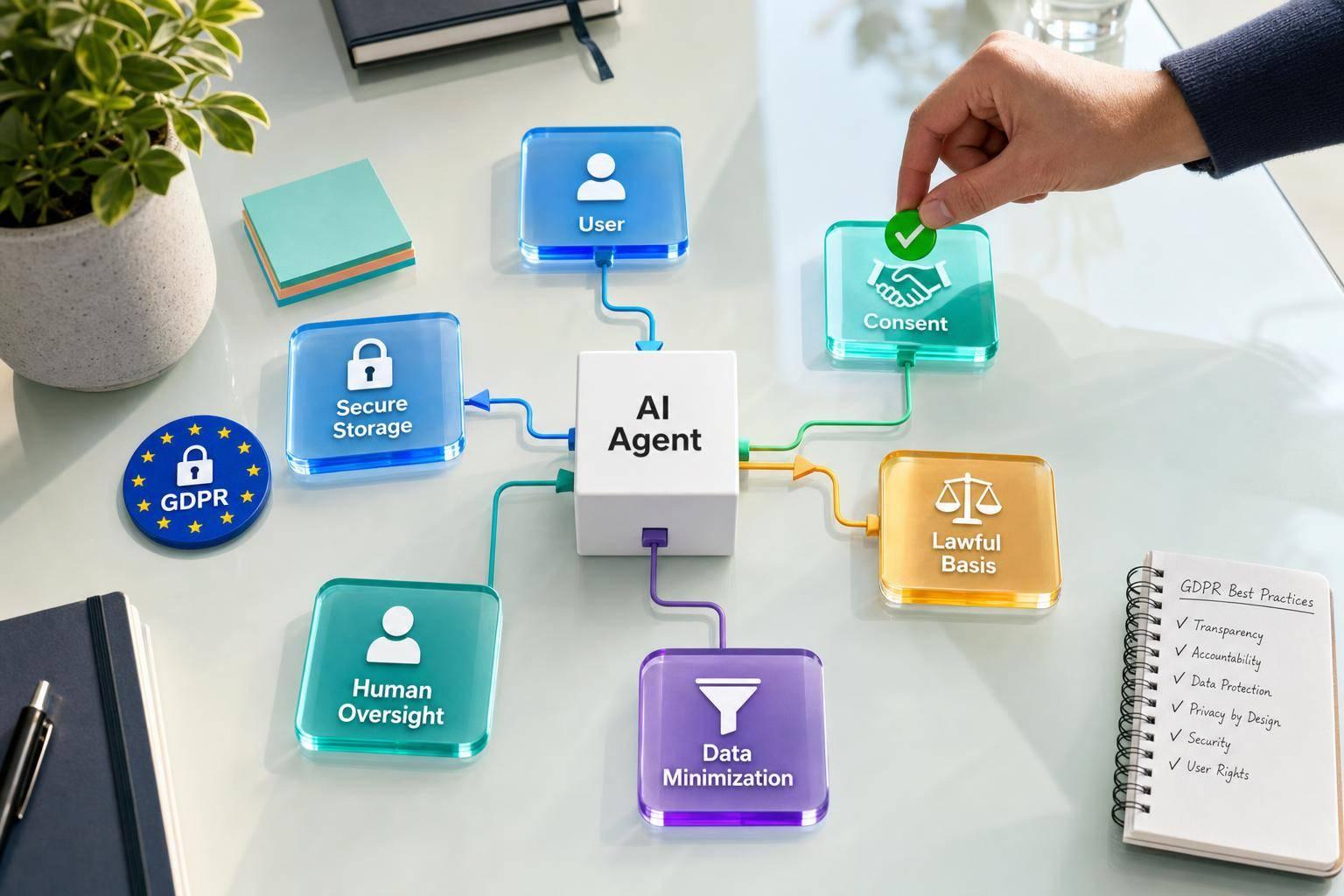
In today's AI-powered customer support landscape, data protection is key. With AI handling sensitive info, companies need rock-solid security to keep customer trust and stay compliant.
Here's how to protect customer data in AI-human support teams:
Lock It Down with Encryption
Use end-to-end encryption for all customer chats. This keeps data safe if someone tries to snoop during transmission or storage.
Only Collect What You Need
Don't be a data hoarder. Grab only the info you need for support. Less sensitive data means less to protect.
Bettina Lindner Lippisch, VP of Privacy and Data Governance, puts it well:
"Do you know what you're sending to the model? Do you know who you're sending it to? What are your policies internally for your employees to use customer data and feed it into Chat-GPT and say, 'Show me the trends or give me an analysis for this.' Do you know what happens to that data?"
Set Clear Data Rules
Create an AI data privacy playbook that covers:
- Data collection, use, and storage
- Who can access customer info
- What to do if there's a data breach
Don't just set it and forget it. Check these rules often to spot and fix weak spots.
Train Your Team
Teach your crew how to handle customer data like pros. Cover:
- Using AI tools the right way
- Spotting and reporting security risks
- Understanding data protection laws (like GDPR and CCPA)
Pick Secure AI Tools
Go for AI platforms that take security seriously. Intercom, for example, doesn't mess around:
"Here at Intercom, we take data protection incredibly seriously, and it has been a major component of every decision we've made since we began to build our AI chatbot."
They even have a Zero Data Retention policy, so third-party AI models can't hold onto customer data.
Keep Your Tech Up-to-Date
Update your software regularly to patch security holes. Set up constant monitoring to catch and squash threats fast.
Be Upfront with Customers
Tell customers straight up:
What to ShareWhy It MattersHow you collect dataBuilds trust and follows the rulesWhat you do with their infoHelps customers make smart choicesYour security measuresShows you're serious about protection
Follow the Rules
Stay on top of data protection laws and follow them. Think:
- GDPR in Europe
- CCPA in California
- HIPAA for health data in the US
Check Your Security Often
Regularly test your AI-human support system for weak spots. A recent Sapio Research study found that 75% of security pros saw more cyberattacks last year, with 85% blaming generative AI for the spike.
8. Build Team Unity
Creating a solid team of AI and human agents is key for top-notch customer support. Here's how to make it happen:
Get Humans Involved from the Start
Don't just spring AI on your team. Bring them into the process:
- Ask what they think AI could do to make their job better
- Talk openly about job worries
- Show how AI will make their work better, not take it away
Connie Hadley, an Organizational Psychologist, puts it this way:
"To build a great team, you need to plan carefully, stick with it, and really want to get to know your team members."
Make Roles Crystal Clear
Spell out who does what in this AI-human tag team:
AI Does ThisHumans Do ThisHandle easy questionsTackle tricky problemsLook up info fastShow empathy and make judgment callsDo repetitive stuffFocus on important customer interactions
Keep Learning, Always
Push everyone to keep growing:
- Teach the whole team about AI
- Help people learn new skills like data analysis and understanding customers better
- Set up mentoring between tech-savvy agents and those who aren't as comfortable with AI
Cheer for Wins as a Team
Give props to both AI and humans:
- In team meetings, talk about times AI and humans worked great together
- Share when customers say nice things about smooth handoffs
- Create awards for both tech skills and people skills
Make AI a Trusted Teammate
Help your human agents feel good about working with AI:
- Be upfront about what AI can and can't do
- Explain clearly why AI suggests certain things
- Let humans give feedback on how AI is doing
Keep the Human Touch
Even with all this tech, keep people connected:
- Plan team activities, in person or online
- Set up digital spaces for casual chats and celebrations
- Mix AI and human know-how in projects across different teams
James Towner from ArvatoConnect sums it up:
"Companies win big when they use tech to boost the human touch – for both agents and customers. It's about having real, personal chats that solve problems fast."
9. Get and Use Team Input
Want to make your AI-human support team work like a well-oiled machine? You need feedback from both sides. Here's how to get it and put it to good use:
Mix Up Your Feedback Methods
Don't just rely on one way to get input. Try these:
- Quarterly surveys about AI teamwork
- Track AI performance (like how many issues it solves on its own)
- Monthly team chats about AI-human workflow
- Anonymous suggestion box for private concerns
- Review AI decision logs
Make Sense of the Feedback
Use AI to help you understand what your team is saying:
- Let NLP find the mood and main points in written feedback
- Use predictive models to spot trends
- Mix feedback with other data for the big picture
Focus on What Matters Most
Not all feedback is created equal. Here's how to prioritize:
1. Spot the big issues: Look for problems that keep popping up or really hurt your team's work or customer happiness.
2. Make a game plan: Set clear, measurable goals to tackle the top problems.
3. Get to work: Start with quick fixes, then move on to bigger changes.
4. Keep an eye on results: See how your changes affect team performance and customer feedback.
Keep Getting Better
Create a team culture that's always looking to improve:
- Give a shout-out to team members who share great ideas
- Tell stories about how feedback led to real improvements
- Train your team on new AI features to keep them in the loop
Show Your Team Their Input Matters
Let your team know you're listening:
- Send updates on what you've done with their feedback
- Share the good stuff that's happened because of changes
- If you can't use some feedback, explain why
By getting input from both your AI and human team members, you'll create a support team that's more than the sum of its parts. As the Harvard Business Review puts it:
"Companies achieve the most significant performance improvements when humans and machines work together, enhancing each other's strengths."
So, keep the conversation going between your human and AI team members. It's the key to unlocking your team's full potential.
10. Plan for Growth
As your AI-human support team grows, you need a solid plan. Here's how to scale up without dropping the ball on quality:
Leverage AI for Efficiency
AI can handle more customer questions without sacrificing service quality. Here's how:
- Use AI chatbots for round-the-clock support
- Let AI handle routine tasks so humans can focus on tougher problems
- Use AI to predict what customers might need next
For example, Pelago (a travel platform by Singapore Airlines Group) used Yellow.ai's AI to handle half of their product questions. They brought on 5,000+ users in just six weeks and dealt with 104,000 messages per month using AI.
Empower Your Human Agents
While AI takes care of the everyday stuff, get your human team ready for the tricky situations:
ActionBenefitKeep trainingAgents stay up-to-date on what you offerBuild skillsAgents get better at solving problems and talking to customersUse AI-powered toolsAgents can quickly find customer info and get response ideas
Build a Robust Self-Service System
Help customers help themselves to reduce the load on your support team:
1. Create a knowledge base that covers everything
Make FAQs and how-to guides that are easy to find and use.
2. Add an AI-powered search function
Help customers find answers fast and accurately.
3. Get customers helping each other
Set up online forums or social media groups for peer-to-peer support.
Proactive Support Strategies
Tackle issues before they become problems:
- Use AI to spot potential issues based on customer behavior
- Let customers know about service updates or possible disruptions before they happen
- Ask for customer feedback regularly to make your service better
"Generative AI helps to augment agents, which means we start to see a world of stress-free support teams." - Reetu Kainulainen, CEO & Co-founder, Ultimate
Scale Your Infrastructure
Make sure your systems can handle more customers:
AreaActionTechnologyGet CRM and ticketing systems that can grow with youProcessesWrite down and simplify your key operationsHiringBring in new people before you're swamped
Monitor and Adapt
Keep an eye on how your growth plan is working:
- Track important numbers like how fast you solve problems, how happy customers are, and how much AI is handling
- Check how well your AI is doing and make it better as you go
- Ask both customers and your support team what they think
Conclusion
We've covered 10 best practices for managing AI-human support teams. It's clear: the future of customer service is all about blending AI smarts with human expertise. This combo is changing how businesses talk to customers, making things faster, more personal, and way more satisfying.
Let's break it down:
AI + Humans = Dream Team
AI isn't here to kick humans out. It's here to make them better. Michael Bradford from HappyOrNot puts it perfectly:
"AI is not about phasing out human agents but empowering them."
Think of it like this: AI and humans each bring something special to the table.
AI is great at:
- Being available 24/7
- Handling boring, repetitive stuff
- Finding info fast
- Giving consistent answers
Humans shine with:
- Understanding feelings
- Solving tricky problems
- Getting the big picture
- Adding that personal touch
The Numbers Don't Lie
Check out what happens when AI and humans team up:
- Achievers hit a 93% first contact resolution rate. How? AI-powered customer support.
- AirHelp cut their response time by 65%. Their secret weapon? AI.
- 56% of employees use AI every day now. It's not the future - it's here.
What's Next?
The AI-human support world is moving fast. Here's what's coming:
1. More AI, Everywhere: By 2026, AI will handle 1 in 10 customer interactions. That's way up from just 1.6% now.
2. Saving Big: AI in contact centers could slash labor costs by $80 billion by 2026. That's serious cash.
3. Getting Personal: AI will help tailor experiences like never before. KFC's already trying out face recognition to guess what you'll order.
4. Changing Jobs: Humans will tackle the tough, high-value stuff. AI will handle the everyday tasks.
The Bottom Line
Managing AI-human teams isn't just about cool tech. It's about teamwork, always learning, and putting customers first. Ryan Kow from Skillshare sums it up:
"Generative AI is an extremely powerful tool that I think we haven't even taken the tip of the iceberg off of."
The future of customer support? It's AI and humans, working together to make customers happier than ever.
FAQs
What companies are using AI to improve customer service?
Many companies are using AI to boost their customer service. Here are some examples:
AirHelp is a standout. They use AI to handle a flood of messages across different channels. Their system:
- Collects and assigns requests to the right agents
- Uses a chatbot as the first point of contact
- Monitors social channels in 16 languages
- Alerts human agents if it spots potential issues
The result? A 65% faster average response time.
Other companies are jumping on the AI bandwagon too:
- Zara uses AI tools to handle customer questions more efficiently
- Netflix's AI recommendation system improves personalization and keeps customers happy
AI is making a big impact. HubSpot found that customer service pros save about 2 hours a day with AI. That's time they can use for trickier issues that need a human touch.
But don't count humans out just yet. A recent study showed 52% of professionals say customers still prefer human agents for complex problems. Why? Empathy and understanding.
The key? Finding the sweet spot between AI efficiency and human connection. That's how companies can give customers the best experience possible.


.svg)
.svg)
.svg)
.svg)