
Study: Impact of AI on Employee Productivity Metrics
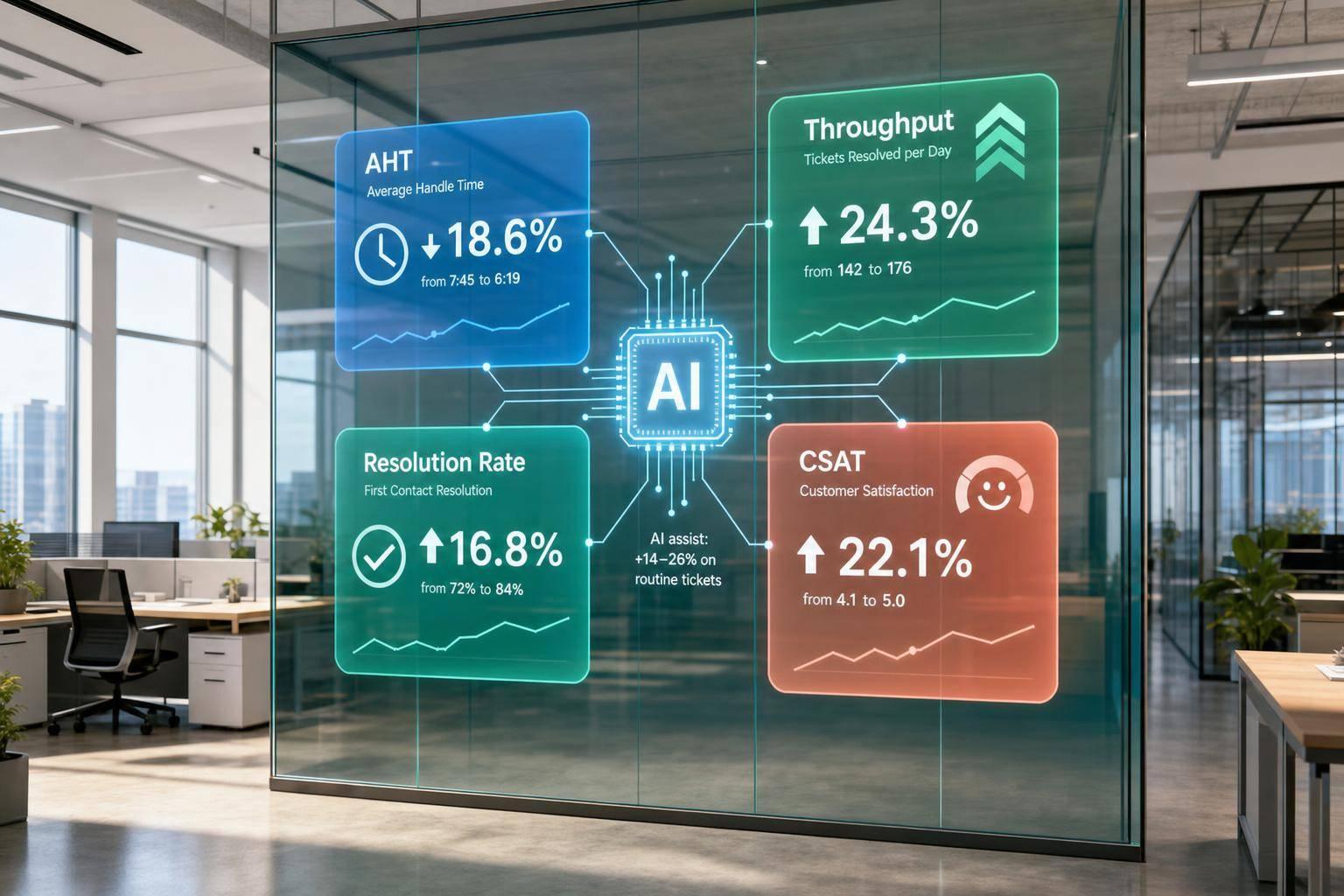
AI can help support teams do more work in the same amount of time - but only on the right kinds of tasks. From what I see in the research, the main pattern is simple: support teams often get a 14% to 15% lift in productivity, and broader findings put the range at 14% to 26%. But those gains show up mostly in routine support work, not in cases that need judgment.
If I were sizing up AI for a support team, I’d watch four numbers first:
- Average handle time (AHT): time spent per ticket
- Tickets resolved per hour: agent throughput
- Resolution rate: share solved without human help
- Customer satisfaction (CSAT): whether service quality stays in place
A few points stand out right away:
- Newer agents often gain the most
- Routine tickets see the clearest lift
- Quality can hold steady - or improve - on simple work
- Quality can drop when bots handle hard cases badly
- Clean handoff to a human matters as much as speed
Put another way: AI can cut effort, add capacity, and lower pressure on support teams - but only if you track speed and quality together. That’s the main takeaway from the article. For more insights, visit our AI and customer support blog.
The rest of the piece breaks down the metrics, how the studies were set up, what the numbers show, and what SaaS support teams should measure before and after rollout.
How to Measure AI's Impact on Business Productivity
sbb-itb-e1b05dc
Employee productivity metrics used in AI helpdesk research
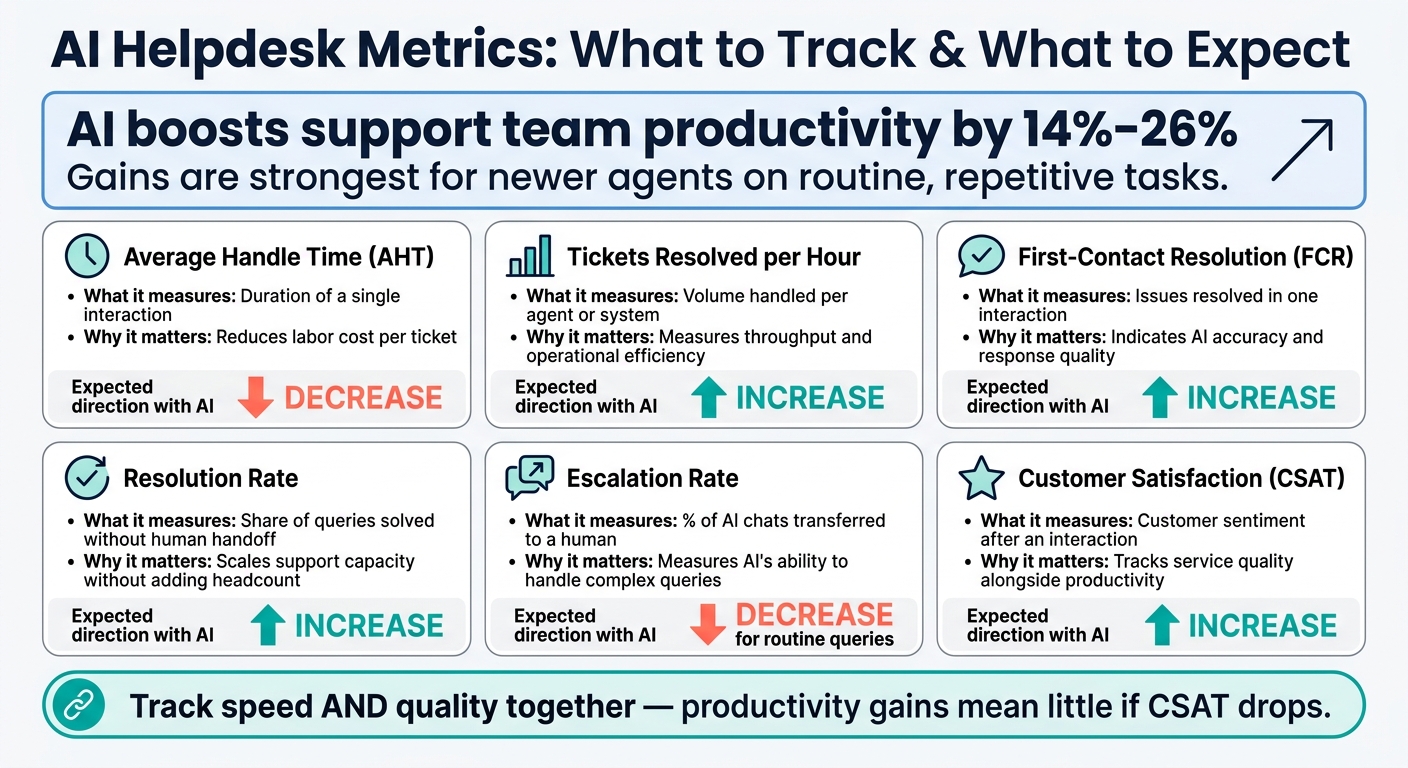
AI Helpdesk Metrics: What to Track & What to Expect
Researchers tend to focus on three core productivity metrics: AHT, tickets resolved per hour, and resolution rate. These are tracked at the agent level because they connect straight to cost, capacity, and service quality.
Average handle time, tickets resolved per hour, and resolution rate
Average handle time (AHT) shows the labor cost behind each ticket. It’s one of the clearest signs of efficiency because it links directly to cost per interaction.
Tickets resolved per hour tracks throughput - how much work an agent or system gets through in a set period. Researchers use it to measure overall productivity gains, not just faster handling on single tickets.
Resolution rate, sometimes called deflection rate, measures the share of queries solved without a handoff to a human. When resolution rate goes up, more questions get handled without extra staff, which can lower the need for added headcount.
Customer satisfaction and quality metrics
Researchers don’t look at speed alone. They pair speed metrics with quality metrics to make sure AI improves output without hurting service.
Customer satisfaction (CSAT) measures how satisfied customers are after an interaction. First-contact resolution (FCR) tracks whether an issue gets solved in one interaction. High FCR usually points to accurate answers and fewer follow-up contacts.
Escalation rate measures how often AI sends a conversation to a human. That helps show whether the system is taking care of routine issues while passing more complex ones to support staff.
Comparison table of key study metrics
| Metric | What It Measures | Why It Matters for AI ROI | Expected Direction with AI |
|---|---|---|---|
| Average Handle Time (AHT) | Duration of a single interaction | Reduces labor cost per ticket | Decrease |
| Tickets Resolved per Hour | Volume handled per agent or system | Measures throughput and operational efficiency | Increase |
| Resolution Rate | Share of queries solved without human handoff | Scales support capacity without adding headcount | Increase |
| First-Contact Resolution (FCR) | Issues resolved in one interaction | Indicates AI accuracy and response quality | Increase |
| Escalation Rate | % of AI chats transferred to a human | Measures AI's ability to handle complex queries | Decrease for routine queries |
| Customer Satisfaction (CSAT) | Customer sentiment after an interaction | Helps track service quality alongside productivity | Increase |
Taken together, these are the metrics researchers use to compare baseline support workflows with AI-assisted helpdesks.
How the studies were designed and what they measured
Support setting and AI-assisted workflow
Most of the research here looks at live customer support. Agents answer customer questions in real time, while an AI assistant pulls from knowledge bases and suggests replies as the conversation happens.
The type of work matters a lot. Repetitive tickets tend to see bigger gains. Issues that call for more judgment do not. That’s the main pattern across these studies: the clearest gains show up in repetitive support work, not in judgment-heavy cases.
One part of the setup matters more than it may seem at first glance: the handover mechanism. If the AI assistant picks up negative sentiment or runs into a query that falls outside its confidence threshold, it passes the conversation to a human agent and keeps the full conversation context in place. That gives researchers a clean way to compare speed, throughput, and escalation rates before and after AI support.
Baseline versus treatment groups and worker-level differences
These studies compare pre-AI periods with AI-assisted periods, then track measures like AHT, ticket volume, and escalations to isolate AI’s effect on performance [2]. They also look at differences across workers, especially by experience level.
The pattern is pretty consistent: newer or lower-performing agents tend to get the biggest productivity lift [2][1]. That split by worker type helps explain why average gains can look strong even when the effect is not the same for every agent.
Those study designs set up the productivity and quality results that follow.
Key findings on productivity and service quality
Productivity gains of roughly 14% to 15% in support studies
Once the baseline-vs-treatment setup is in place, the results point to a clear lift in output. Recent support studies show a 13.8% to 15% productivity lift, while Stanford's 2026 index puts the broader range at 14% to 26%[1]. In plain English, teams got more done in the same amount of time.
Most of that lift came from two things: faster handling of routine queries and a higher number of issues resolved per hour. When AI finds answers fast, agents spend less time digging through docs and more time closing tickets.
Why gains were strongest for newer or lower-performing agents
The lift doesn't hit every agent the same way. Newer and lower-performing agents tend to get the biggest bump[1]. That makes sense. AI gives newer agents instant access to answers, which cuts down search time and helps them move through common cases with less friction.
More experienced agents are in a different spot. They already know much of this material, so the time savings are smaller. On top of that, their work often involves cases that need more judgment, and that's where AI tends to show weaker - or even negative - effects[1]. That split at the worker level also helps explain why quality tends to stay steady on routine work but slip on judgment-heavy cases.
Whether quality declined, held steady, or improved
For routine, repetitive support tasks, quality usually holds steady or gets better. Once the work calls for complex judgment, the picture gets messier. Klarna is the cautionary example: CSAT fell when the bot gave scripted responses and struggled with complex issues[4].
That case drives home the main point: productivity went up, but quality fell apart when the bot ran into cases it couldn't handle well.
The pattern is straightforward. Verified knowledge and smooth handoff are what protect quality when AI hits its limits. That's the part support leaders need to factor into capacity and cost planning.
What the findings mean for SaaS support teams
How productivity lift affects cost and capacity
Those productivity gains start to matter when they show up in staffing, cost, and day-to-day team load. A 14% to 26% productivity lift means more available capacity right away.[1] If your team handles 1,000 tickets a week, that works out to 140 to 260 more resolutions without adding headcount. That has a direct effect on AHT, throughput, and pressure on the team.
The biggest gains tend to happen when AI takes care of routine work before it ever lands with a human. Capacity climbs even more when AI resolves first-line questions on its own. AI agents can reduce the volume of queries handled by human support teams by at least 50%, moving human agents toward cases that need judgment and nuance.[3][2] You can see that shift in the numbers through resolution rate and total agent workload.
Where Converso fits into an evidence-based support workflow
The research points to two things that help protect both productivity and quality: structured knowledge and in-context handoff. Converso brings both into one workflow. It uses structured, company-specific knowledge so AI agents answer from approved information, and it passes the conversation to a human agent with the full history intact when a query falls outside the agent's confidence level.
AI agents can escalate when confidence is low or when sentiment turns negative, while keeping the full context for the human follow-up. In plain English, that means one workflow built around structured knowledge, controlled escalation, and preserved conversation history.
Conclusion: The metrics support leaders should track first
For support leaders, the core question isn’t whether AI saves time. It’s which metrics show that time is being saved without hurting quality. Start with AHT, issues resolved per hour, resolution rate, and CSAT. Together, those metrics show whether productivity went up and whether service quality stayed in place.
The strongest results show up when AI handles standardized, repetitive tasks and then hands off cleanly when it hits its limits. Track throughput and quality side by side to see where AI is helping most and where human support still does the heavy lifting.
FAQs
Which support tasks benefit most from AI?
AI works best on repetitive, high-volume tier-1 support work that eats up a lot of agent time. That usually includes:
- common product, billing, and subscription FAQs
- onboarding guidance
- shipping updates
- password resets
When you automate these requests, support volume can drop by 50% or more. That gives human agents more time for tougher cases that call for judgment and empathy.
How should teams measure AI without missing quality issues?
Use a data-led framework that balances efficiency with quality checks. Start with baseline metrics like first response time, resolution time, CSAT, and cost per ticket. Break those numbers out by channel and issue type so you can see where things are working and where they’re dragging.
Then compare AI-resolved and human-resolved cases by tracking error rates, escalation frequency, and CSAT by source. It also helps to watch the AI-to-human resolution ratio and review conversation logs. That’s often where bottlenecks show up, and where you find the small fixes that improve performance over time.
Why do newer agents often see bigger productivity gains?
Newer agents often see the biggest gains because AI-powered helpdesk platforms take a lot of the repetitive, high-volume work off their plate.
Instead of spending so much time on routine questions, manual data entry, and basic troubleshooting, they can work through up to 33% more tickets per hour. That shift also gives them more time to focus on tougher issues where human judgment matters most.


.svg)
.svg)
.svg)
.svg)